Table of Contents

I want you to imagine something with me for a moment.
personal AI agent for beginners without coding in 15 min
You wake up tomorrow morning and your coffee is already brewing because your AI agent noticed your alarm went off.
Before your feet hit the cold floor, it has already sorted your inbox, canceled that meeting nobody needed, rescheduled your dentist appointment to a slot that actually works, and drafted three email replies that sound exactly like you wrote them.
You pick up your phone, glance at a clean summary of your day, and realize you just saved two hours before breakfast.
That is not science fiction anymore. That is a Tuesday.
We are living in a moment where artificial intelligence has crossed a line most people have not noticed yet.
It moved from being a tool you use to being an agent that acts on your behalf.
And the people who understand how to build a personal AI agent right now are going to have an almost unfair advantage over everyone else for the next decad
I have spent the last three years experimenting with AI automation, building agentic workflows, and helping creators and professionals set up their own personal AI agents.
What I am about to share with you is everything I wish someone had told me when I started. No hype.
No jargon soup. Just the real, practical, experience earned truth about how to build a personal AI agent that automates your daily life in 2026.
Let us get into it.
The Problem Nobody Is Talking About
Here is the uncomfortable reality. Most people are drowning in digital busywork.
The average professional spends nearly 28% of their workweek managing emails alone, according to a McKinsey study.
Add in scheduling, data entry, social media management, research, note taking, and file organization, and you suddenly realize that a terrifying portion of your life is spent doing things a machine could do better and faster.
And yet most people are still doing all of this manually.
They downloaded ChatGPT. They played with it for a week. They asked it to write a poem about their dog.
And then they went right back to copying and pasting data between spreadsheets like it was 2014.
The problem is not a lack of technology.
The problem is that nobody taught them the difference between using an AI chatbot and building a personal AI agent.
Those are two completely different things.
And that gap in understanding is costing people hundreds of hours every single year.
This blog post is going to close that gap for you.
personal AI agent for beginners without coding in 15 min
What Is a Personal AI Agent and How Does It Work
Before we build anything, we need to get crystal clear on what a personal AI agent actually is, because the internet has done a terrible job explaining this.
A chatbot is reactive.
You type something, it responds. You stop typing, it stops working. It has no memory of what you asked last Tuesday.
It cannot go check your email, update your calendar, or place an order on your behalf.
It sits and waits for you to give it a task, one prompt at a time.
A personal AI agent is fundamentally different. It is proactive. It connects to your tools, your data, and your preferences.
It can observe, plan, decide, and act across multiple steps without you holding its hand at every stage.
Think of it less like a search engine and more like a digital employee who knows your habits, your priorities, and your voice.
The technology that makes this possible is called agentic AI.
It combines large language models with tool use, memory systems, and reasoning loops.
The agent receives a goal, breaks it down into smaller tasks, uses the appropriate tools for each task, evaluates whether the result is good enough, and then either delivers the output or tries a different approach.
That loop of reasoning, acting, observing, and adjusting is what separates a true AI agent from a simple chatbot.
And in 2026, the tools to build one have become accessible to people who have never written a single line of code.
Can You Build an AI https://logicloops.net/how-to-use-ai-to-create-faceless-instagram-reels/Agent Without Coding Experience
This is the question I hear more than any other, and I love answering it because the answer surprises people.
Yes. Absolutely.
Without question.Two years ago, building an agentic workflow required Python scripting, API knowledge, and a fair amount of patience.
Today, no code platforms have matured to the point where someone with zero technical background can build a surprisingly powerful personal AI agent in a single afternoon.
Platforms like Make (formerly Integromat), n8n, Zapier with its AI features, and dedicated agent builders like CrewAI Studio, AutoGen Studio, and AgentGPT have opened the door wide.
These platforms let you visually connect triggers, actions, memory stores, and language model calls in a drag and drop interface.
You do not need to understand what an API endpoint is. You do not need to know what JSON looks like.
You just need to understand your own workflow well enough to describe it in plain language, and these tools translate your intentions into automated agentic actions.
That said, I will be honest with you.
Having some basic understanding of how prompts work and how AI models reason will make your agent dramatically better.
You do not need to become a developer, but investing a few hours learning prompt engineering fundamentals will pay dividends that compound every single day your agent runs.
What Tasks Can a Personal AI Agent Automate
This is where things get exciting, and where most people drastically underestimate what is possible.
Let me walk you through real examples from my own setup and from clients I have worked with, organized by life category.
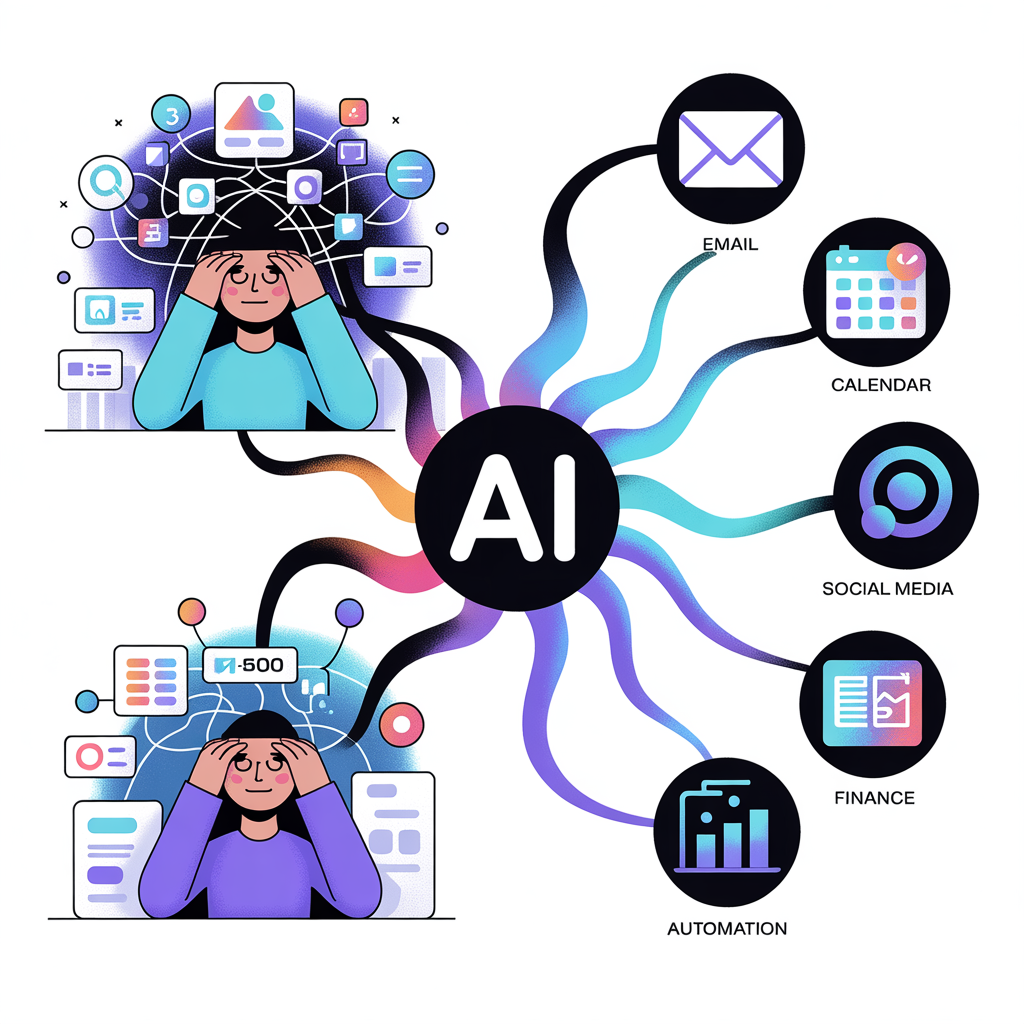
Communication and Email Management. A personal AI agent can read incoming emails, categorize them by urgency and topic,
draft contextually appropriate replies in your writing style, flag anything that needs your human judgment, and archive or delete everything else.
One client of mine reduced her daily email time from 90 minutes to 12 minutes using an agent built on n8n connected to her Gmail and a fine tuned language model.
Scheduling and Calendar Optimization. Your agent can monitor your calendar, detect conflicts, suggest optimal meeting times based on your energy patterns and preferences, send scheduling links, and even decline low priority invitations with polite personalized messages.
It does not just manage your schedule. It protects your time
Research and Information Gathering. Need to stay updated on industry news, competitor activity, or emerging trends in your field? An AI agent can scan designated sources every morning, summarize the key insights, and deliver a personalized briefing to your inbox or Slack channel before you start work.
This is not a Google Alert. This is curated intelligence tailored to your exact priorities.
Content Creation and Social Media. For creators and marketers, an AI agent can repurpose a single long form piece of content into tweets, LinkedIn posts, email newsletters, and video scripts. It can schedule posts, track engagement metrics, and suggest content ideas based on trending topics in your niche.
I have personally used an agent pipeline that takes one blog post and produces fourteen pieces of derivative content across four platforms in under ten minutes.
Personal Finance and Expense Tracking. Agents can monitor bank transactions, categorize spending, flag unusual charges, generate weekly financial summaries, and even send you nudges when you are approaching a budget limit.
Think of it as a financial advisor that never sleeps and never judges your coffee habit.
Learning and Knowledge Management. Perhaps my favorite use case.
A personal AI agent can act as your second brain, ingesting articles, podcasts, videos, and books you consume, organizing the key takeaways into a searchable knowledge base, and surfacing relevant insights exactly when you need them during future work.
The common thread across all these examples is simple.
Any repetitive, rule based, or information heavy task that eats your time and energy is a candidate for agent automation.
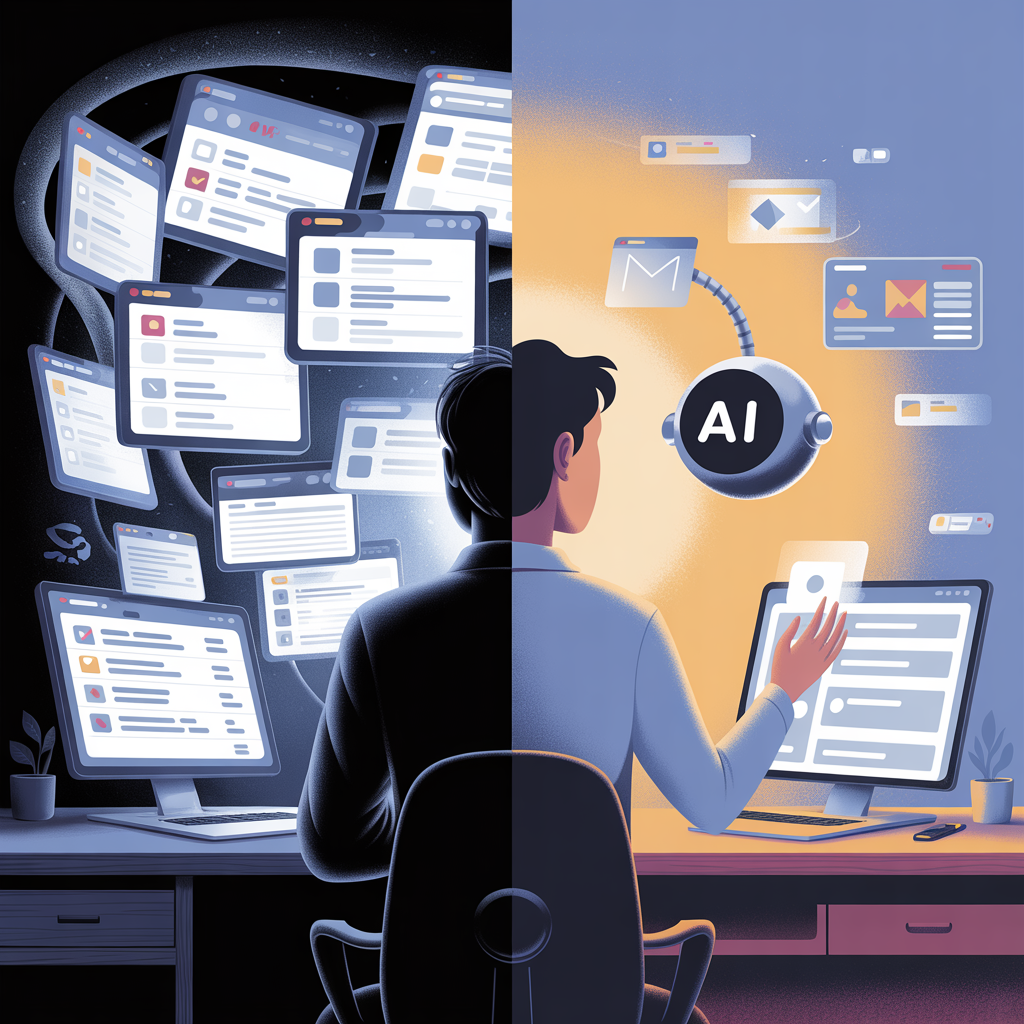
How to Build a Personal AI Agent Step by Step for Beginners
Now let us get practical.
Here is the exact process I recommend for building your first personal AI agent that automates your daily life, even if you are starting from zero
Step One. Audit Your Daily Workflow. Before you touch any tool, spend three days tracking how you spend your time.
Write down every task you do, how long it takes, and whether it requires genuine human creativity and judgment or whether it follows a predictable pattern.
Be ruthlessly honest.
Most people discover that 40 to 60 percent of their daily tasks are automatable when they actually look closely.
Step Two. Choose Your Highest Impact Automation Target. Do not try to automate everything at once.
Pick the one task that eats the most time or causes the most friction.
For most people, this is email management or scheduling. Start there. A single well built automation will teach you more than ten half finished ones.
Step Three. Select Your Agent Building Platform. For true beginners, I recommend starting with Make or Zapier because they have the gentlest learning curves and the largest libraries of pre built integrations.
If you want more power and flexibility without code, n8n is outstanding and has a free self hosted option.
If you are comfortable with light technical setup, CrewAI or AutoGen give you access to multi agent architectures where several AI agents collaborate on complex tasks.
Step Four. Design Your Agent’s Reasoning Flow. This is the most important step and the one most tutorials skip.
Before you start connecting apps, map out the logic your agent should follow.
What triggers it? What information does it need? What decisions does it make? What actions does it take? What happens if something goes wrong? Write this out in plain language first.
Think of it as writing instructions for a very smart but very literal new employee.
Step Five. Connect Your Tools and Data Sources. Using your chosen platform, connect the applications your agent needs to access.
This typically involves authorizing connections to services like Gmail, Google Calendar, Notion, Slack, Trello, or whatever tools you use daily.
Most platforms make this as simple as clicking “connect” and logging into your account.
Step Six. Build and Test Your Prompt Chain. The prompts you give your AI agent are the heart of its intelligence.
Each step in your agent’s workflow will likely involve a language model call, and the quality of your prompts determines the quality of your agent’s output. Be specific.
Provide examples.
Define the format you want. Tell it what to do and what to avoid. Then test relentlessly with real data, not hypotheticals
Step Seven. Add Memory and Context. A basic automation runs the same way every time.
A true agent learns and adapts.
Most modern platforms allow you to connect a simple database or knowledge base, such as a Notion database or Pinecone vector store, that gives your agent persistent memory.
This means it can remember your preferences, recall past interactions, and get better over time.
Step Eight. Monitor, Refine, and Expand. Your first version will not be perfect, and that is completely fine.
Run it for a week. Review its outputs. Note where it makes mistakes or produces suboptimal results.
Adjust your prompts, add edge case handling, and fine tune the logic.
Once your first agent is running smoothly, pick your next automation target and repeat the process.
How Much Does It Costhttps://youtube.com/shorts/hf9iskiRydo?si=9O3mJG3mI4yn9c96 to Build a Personal AI Agent
Let me give you the honest breakdown because I believe in transparency.
If you use free tiers and open source tools, you can build a functional personal AI agent for literally zero dollars.
Platforms like n8n offer free self hosted versions.
Language models like Llama and Mistral are open source and can be run locally.
Google Sheets can serve as a basic database.
This path requires more time and technical willingness, but the financial barrier is nonexistent.
If you prefer convenience and are willing to invest modestly, a typical setup using Make or Zapier’s paid tiers combined with API access to a model like Claude or GPT will cost somewhere between fifteen and fifty dollars per month depending on your usage volume.
For most individuals, this lands in the twenty to thirty dollar per month range, which is less than most people spend on streaming subscriptions they barely use.
For professionals and small business owners who want enterprise grade reliability and multi agent orchestration, costs can range from fifty to two hundred dollars per month, depending on the complexity and scale of the automation.
The return on investment, however, is staggering.
If your agent saves you just one hour per day, and your time is worth even thirty dollars per hour, that is roughly nine hundred dollars of value per month from a twenty dollar investment.
Very few things in life offer a 45x return.
What Is the Difference Between an AI Agent and a Chatbot
I touched on this earlier, but it deserves its own focused explanation because this distinction is the key to understanding why AI agents are such a breakthrough.
A chatbot is a single turn or multi turn conversation tool. It responds to what you say.
It lives inside a chat window.
It has no ability to take actions in the outside world unless you manually copy its output and paste it somewhere.
It is a brain in a jar.
An AI agent is a chatbot that has been given a body.
It has tools it can use, like web browsers, email clients, databases, and APIs.
It has goals it can pursue across multiple steps. It has memory it can reference.
And critically, it has the ability to evaluate its own progress and adjust its approach when something is not working.
The simplest way I explain it to people is this. A chatbot answers your questions. An AI agent does your work.
Both have value. I still use chatbots every single day for brainstorming, writing assistance, and quick research.
But when it comes to automating the repetitive infrastructure of daily life, agents are in a different league entirely.
Common Mistakes to Avoid When Building Your First AI Agent
Having helped dozens of people set up their first agents, I have seen the same mistakes repeated over and over.
Let me save you the trouble.The first and most common mistake is trying to automate everything on day one.
Ambition is wonderful, but complexity is the enemy of execution. Start with one focused agent that does one job exceptionally well.
You can always expand later.
The second mistake is writing vague prompts.
“Handle my emails” is not a useful instruction for an AI agent.
“Read new emails in my inbox every 30 minutes, categorize them as urgent, actionable, informational, or ignorable, draft replies for actionable emails using a professional but warm tone, and flag urgent emails with a Slack notification” is a useful instruction.
Specificity is everything.The third mistake is skipping the testing phase.
People build an agent, run it once, see that it works, and then let it loose on their real data without supervision.
Always run your agent in a monitored mode for at least a week before trusting it to operate independently.
AI agents are powerful, but they can and will make mistakes, especially in the early stages.
The fourth mistake is neglecting security.
When you give an AI agent access to your email, calendar, and financial tools, you are handing it the keys to your digital life.
Use platforms with strong security practices.
Enable two factor authentication.
Limit permissions to only what the agent actually needs. And never store sensitive credentials in plain text.

The Bigger Picture and Why This Matters Now
I want to step back for a moment and talk about why learning how to build a personal AI agent is not just a nice productivity hack.
It is a fundamental shift in how humans relate to technology.For the last thirty years, we have adapted ourselves to our tools.
We learned to navigate complex software.
We memorized keyboard shortcuts. We organized our lives around the limitations of our apps.
We became servants to our own technology.AI agents flip that relationship.
For the first time, technology adapts to us. It learns our preferences, anticipates our needs, and handles the tedious mechanics of daily life so we can focus on the things that actually require a human mind and heart.
Creativity. Relationships. Strategy. Rest.
The people who embrace this shift early will not just be more productive.
They will be more present. More creative.
More free. And that, to me, is the real promise of personal AI agents. Not that they make us faster at doing more stuff, but that they give us permission to do less of the stuff that never mattered in the first place.
Conclusion
Building a personal AI agent that automates your daily life in 2026 is no longer a privilege reserved for engineers and early adopters.
The tools are here. The platforms are accessible.
The cost is negligible. And the return on your investment of time and attention is extraordinary.Start by understanding what an AI agent actually is and how it differs from a simple chatbot.
Audit your daily workflow with clear eyes. Pick your highest impact target.
Choose a platform that matches your skill level. Design your agent’s logic with care and specificity. Build, test, refine, and expand
You do not need to be a programmer. You do not need a computer science degree.
You need curiosity, a willingness to experiment, and about one free afternoon to build something that will save you hundreds of hours over the next year.
The future belongs to people who learn to work with intelligent agents, not instead of their own thinking, but in partnership with it.
The question is not whether AI agents will become a standard part of daily life. They already are for millions of people.
The question is whether you will be one of the people who builds their own, or one of the people who keeps doing everything manually while wondering where the time went.
Leave a Reply